
Understand what they really mean.
Import a message screenshot or paste text. Get a plain-English explanation, helpful tone cues, and natural reply options.
One free explanation every 24 hours. No account required. iPhone and iPad.
How Slango works
- Step 1
Start with a message
Import a screenshot or paste a slang word, phrase, or confusing message.
- Step 2
Keep what matters
Edit the text or choose the sections you want explained. Remove private details before tapping Explain.
- Step 3
Understand and reply
Get the meaning, tone when helpful, and up to two reply options when a response makes sense.
One input. The right amount of help.
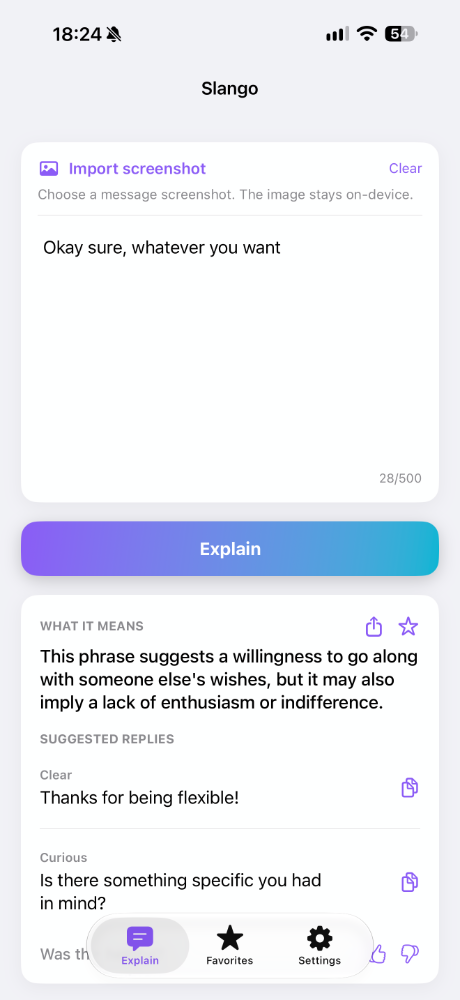
A slang word gets a definition. An ambiguous message gets possible meanings. When a reply would help, you get options.
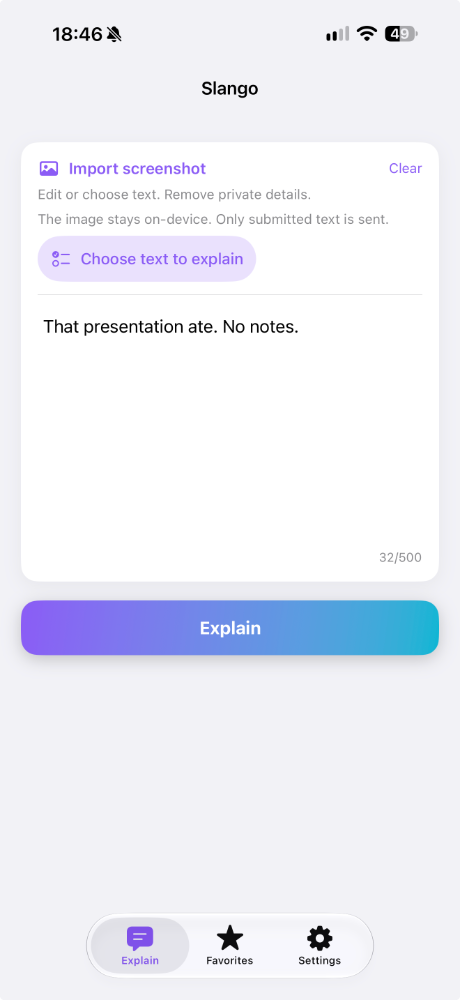
Screenshot it. Make sense of it.
Import a screenshot, then choose or edit the text before tapping Explain.
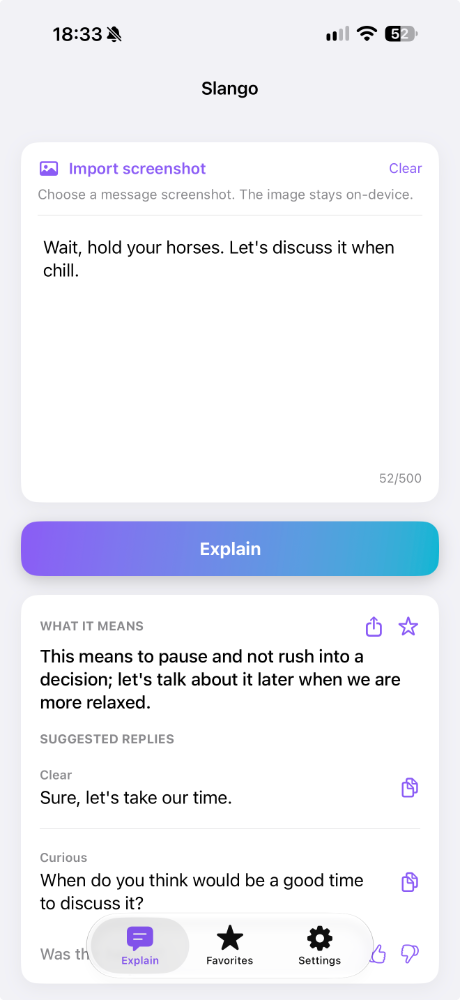
Find a natural reply
When a response helps, get up to two suggestions you can copy and make your own.
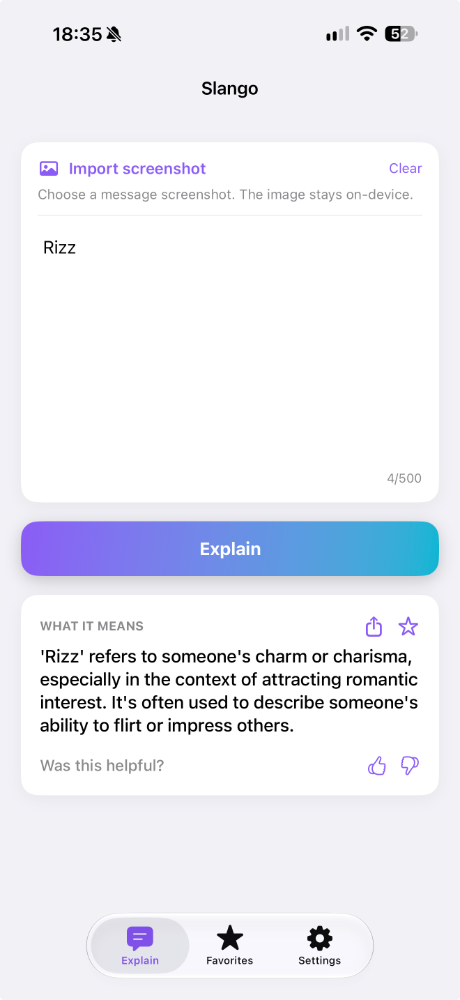
Make sense of slang
A word like "Rizz" gets a clear definition, without unnecessary extras.
Straight answers about your messages.
You control what you submit for an explanation.
No account required
No sign-up, no email address, no profile to manage.
Saved explanations stay on your device
Explanations you save are stored locally on your device.
Your screenshots stay on your device
Text recognition happens on your device. The image is not uploaded.
Review text before sending
Only the text you submit is sent for an explanation when you tap Explain.
Analytics never include your text
Usage analytics measure how the app is used, not the content you paste.
Questions
Stop wondering what they meant.
Understand the message. Choose your reply. Get on with your day.

One free explanation every 24 hours. No account required. iPhone and iPad.